Troubleshooting & Sending Diagnostic Info
Like any other software, WithAudio might fail sometimes. This can be tricky to debug because WithAudio runs on your device and we don’t automatically have access to details about failures.
To help with this, WithAudio includes a built-in way to send diagnostic information to our support team.
Open the Troubleshooting page
- Open WithAudio
- Go to Settings
- Select the Troubleshooting tab
 Open Settings, then choose the Troubleshooting tab
On the Troubleshooting page, you can send two types of information:
- Text-to-Speech failures (for failed TTS tasks)
- Application logs (for general diagnostics)
Each section has its own Send to Support button.
Send Text-to-Speech (TTS) failures
If some text-to-speech tasks fail, WithAudio can show you recent failures and lets you report them to us.
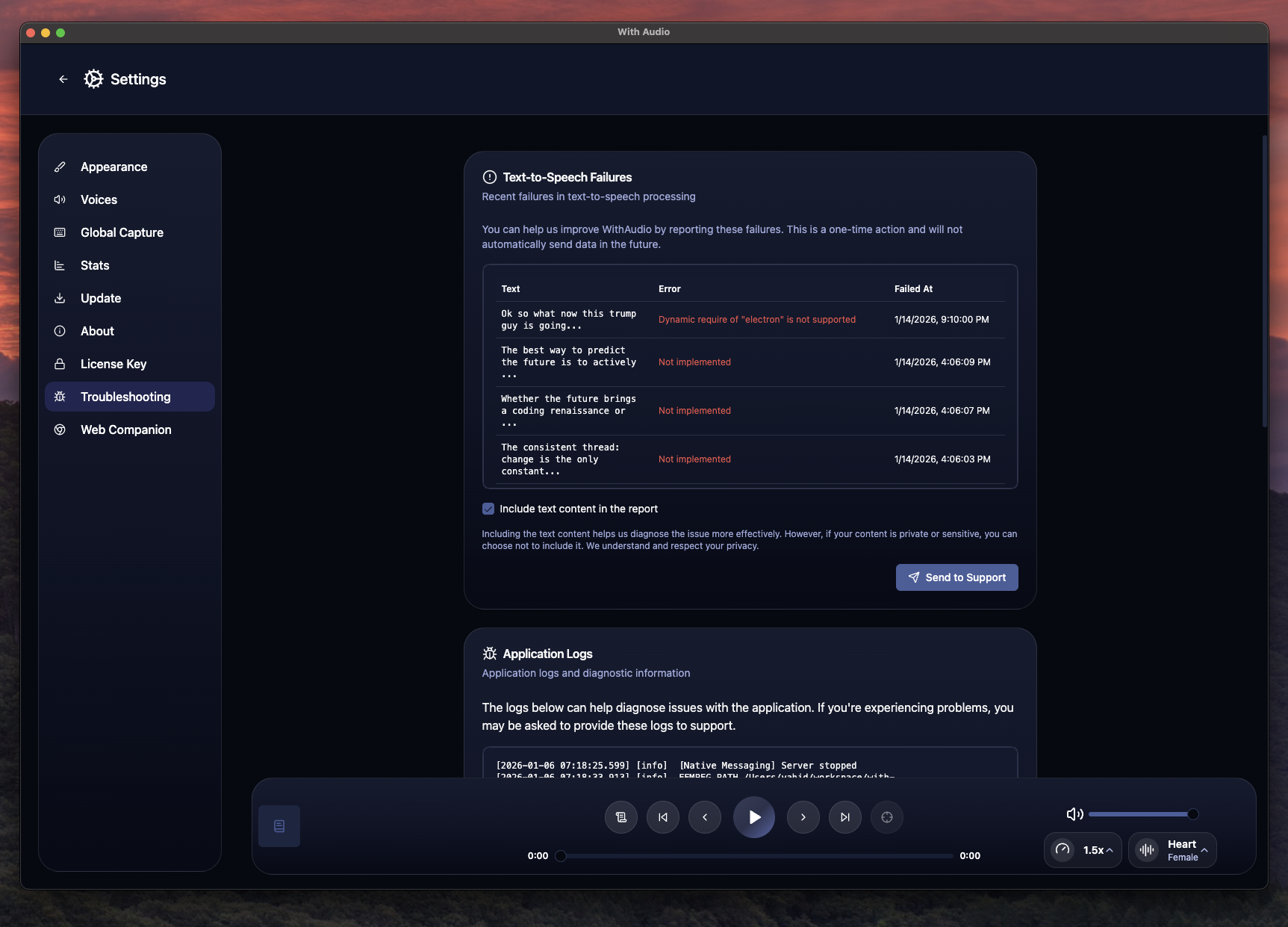 Recent TTS failures with an option to include text content
When sending TTS failures, you can choose whether to include the text content in the report:
- If your content is private or sensitive, you can turn off including the text body.
- If you’re comfortable sharing it, including the text can help us diagnose the issue more effectively.
Once ready, click Send to Support in the Text-to-Speech Failures section.
Send application logs
If you’re experiencing problems that aren’t directly tied to a specific TTS failure, sending logs can help us understand what happened.
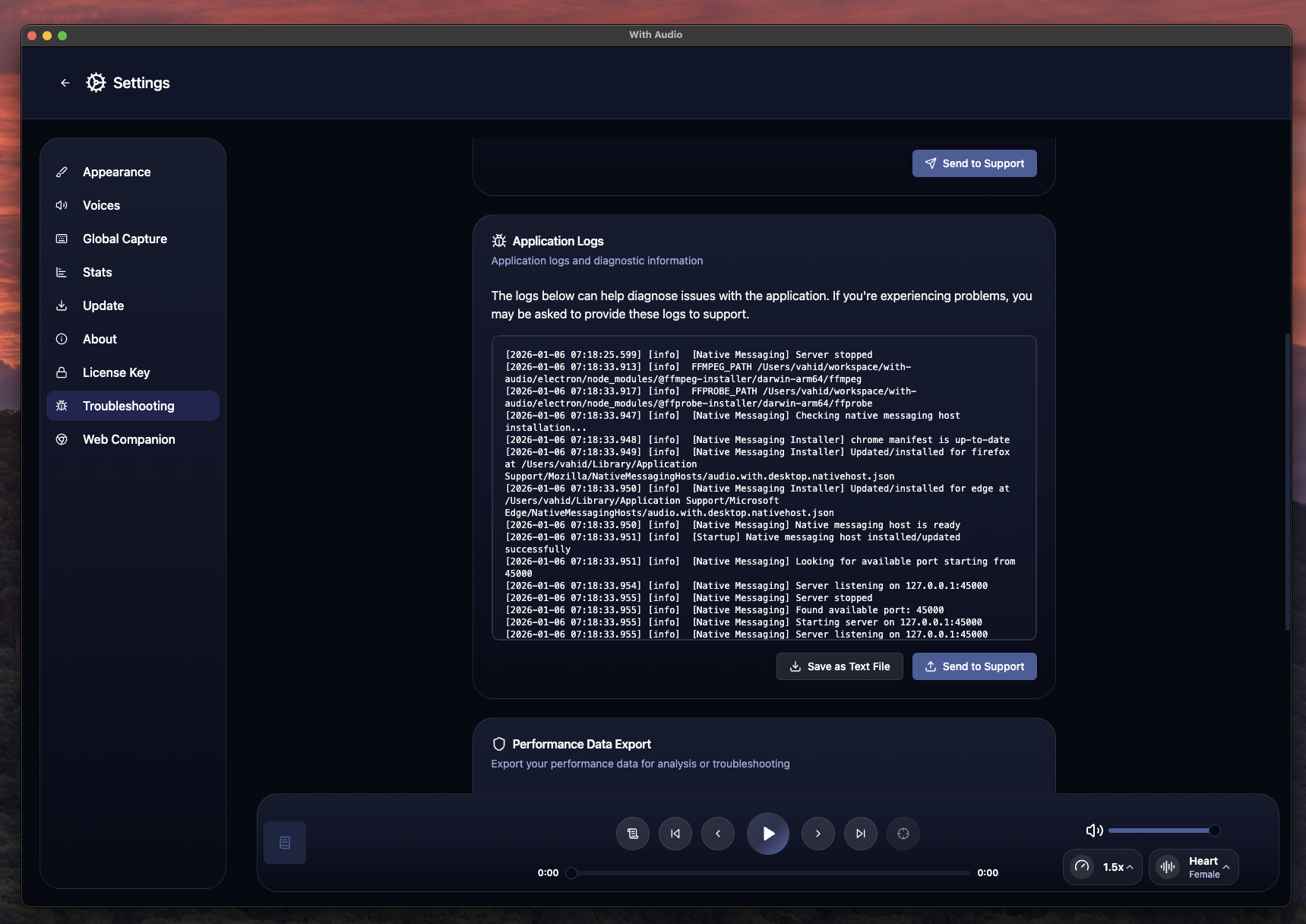 Application logs section with “Send to Support”
Click Send to Support in the Application Logs section to share the logs with us.
After you send the info
After you’ve sent diagnostic info (or if your issue doesn’t fit into these reports), reach out to us at [email protected] and describe what you were doing when the problem happened.